家里的老电脑实在跑不动了,想着废物尽其用的原则,周末的时候给它折腾折腾装个linux吧,因为linux系统占用资源比较少,可以再利用利用。找了个精简版的linux lite,安装的时候没问题,磕磕绊绊的进入了桌面,更换了一下软件源,然后updates,更新后进不去桌面了。。。囧秉着遇到问题解决问题的思路,那就上网查查如何解决吧,要是以前在WINDOWS系统下,基本就是重装一下吧,不过Linux的特点就是系统比较健壮,可以来回折腾,查查了手册有启动问题帮助,不过是全英文,找个插件翻译一下,解决这个启动问题。下面把这个过程给贴出来,方便以后查找使用。Booting Issues启动问题
Black screen whilst trying to boot尝试启动时出现黑屏
This is usually due to the graphics chip you have, it is easily remedied and the problem should not reappear once you have installed the graphics drivers for your computer. So first we need to boot you successfully into the desktop.
通常这是由于你的显卡芯片引起的,这个问题很容易解决,一旦你为你的电脑安装了显卡驱动程序,问题就不应该再出现。所以我们首先需要成功将你启动到桌面。
Hold down the Shift or ESC key as you boot up your computer. You should see a screen like the following:在启动计算机时按住Shift 键或 ESC 键(具体取决于你的bios启动目录快捷键)。你应该会看到如下屏幕:
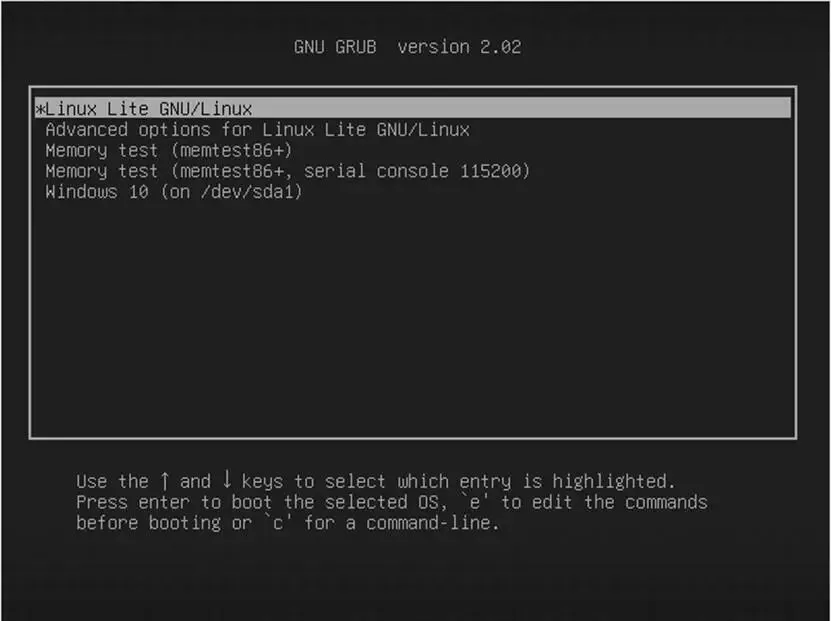
Next press the e key whilst that top line is highlighted. This will take you to the next screen. Use your arrow keys to move down to the line highlighted in the picture below. Use the arrow key until you reach the end of that line.接下来,当顶部那一行被高亮显示时,按下 e 键。这将带你进入下一个屏幕。使用方向键向下移动到下图中高亮显示的那一行。使用方向键直到到达该行的末尾。
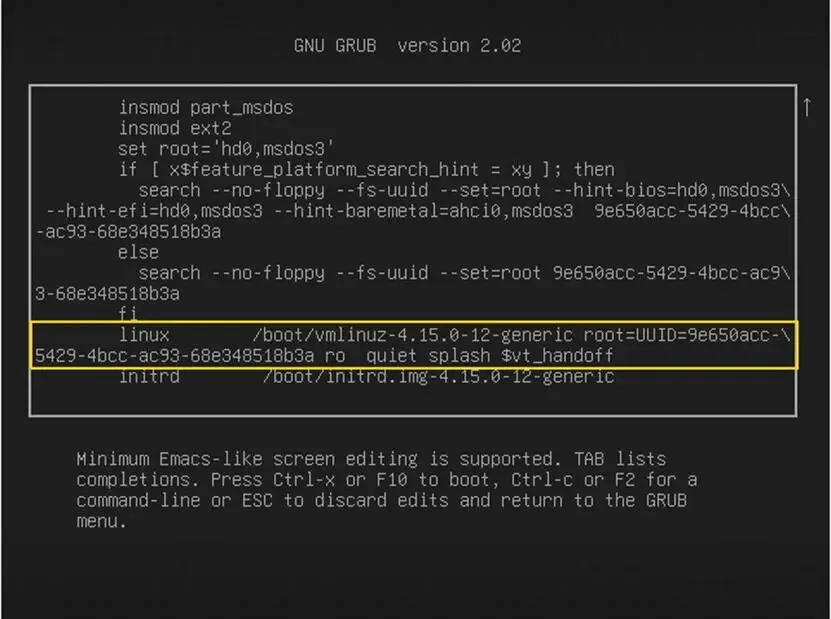
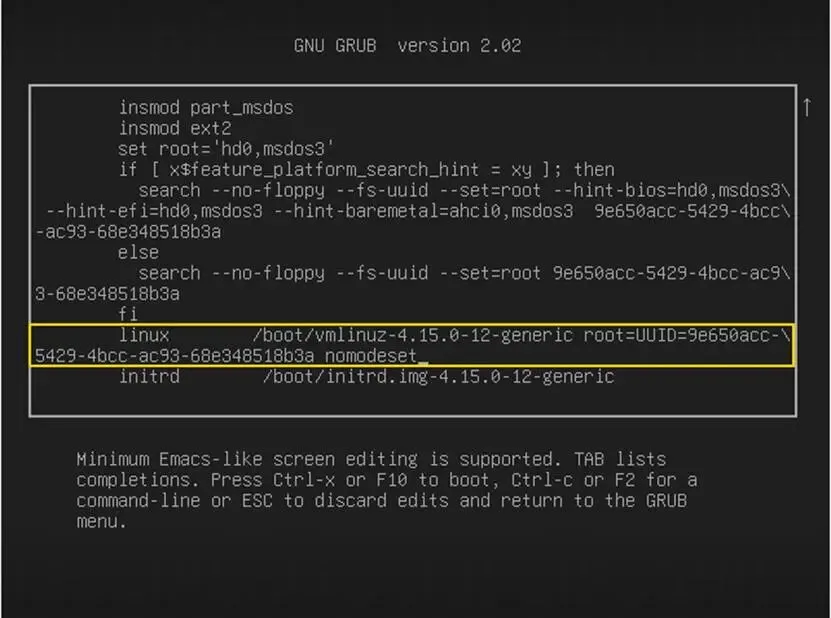
Press the backspace key repeatedly until you remove: ro splash quiet $vt_handoff and replace that text with: nomodeset so that it looks like the picture below.随后反复按退格键,直到删除:ro splash quiet $vt_handoff,并将该文本替换为:nomodeset,使其看起来像下图。
Now press either F10 or Ctrl+X to boot your machine. Your computer will begin to boot up with scrolling text similar to what is shown below:现在按 F10 或 Ctrl+ X 启动您的计算机。您的计算机将开始启动,并显示类似下面所示的滚动文本:
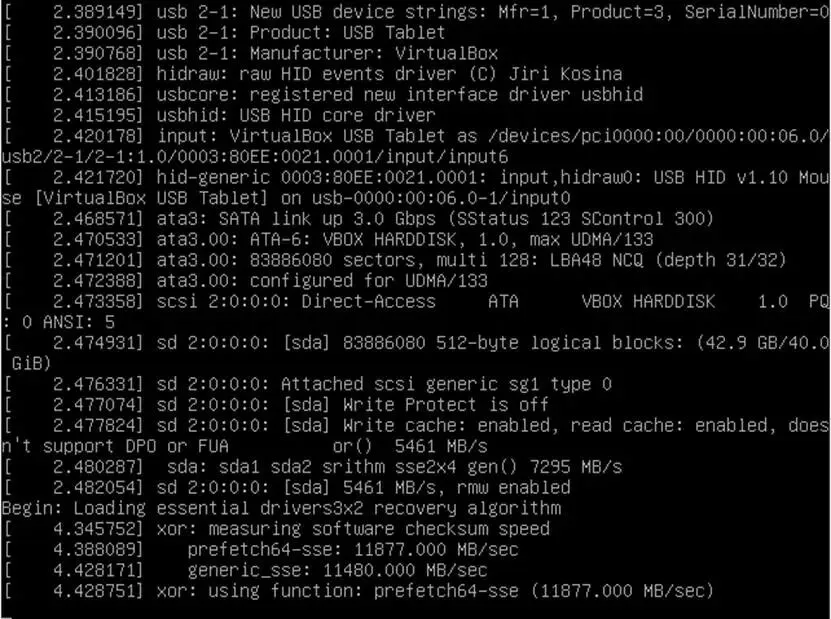
After which shortly you will get your normal login screen. Now you can login and install your graphics drivers.稍后,你将会进入并看到正常的登录界面。现在你可以登录并安装你的显卡驱动程序,小提示:老旧电脑的显卡驱动匹配不太好,使用系统默认的驱动就好了,要不然估计还得这样操作一遍,别问我怎么知道[捂脸]。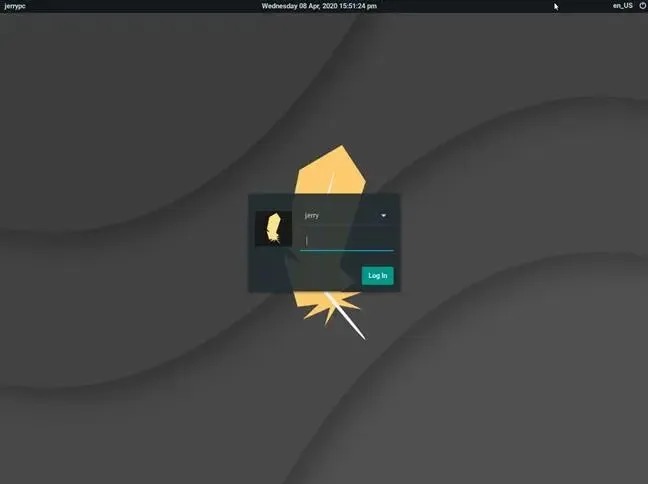
 10个月宝宝每天需要喝多少奶粉?