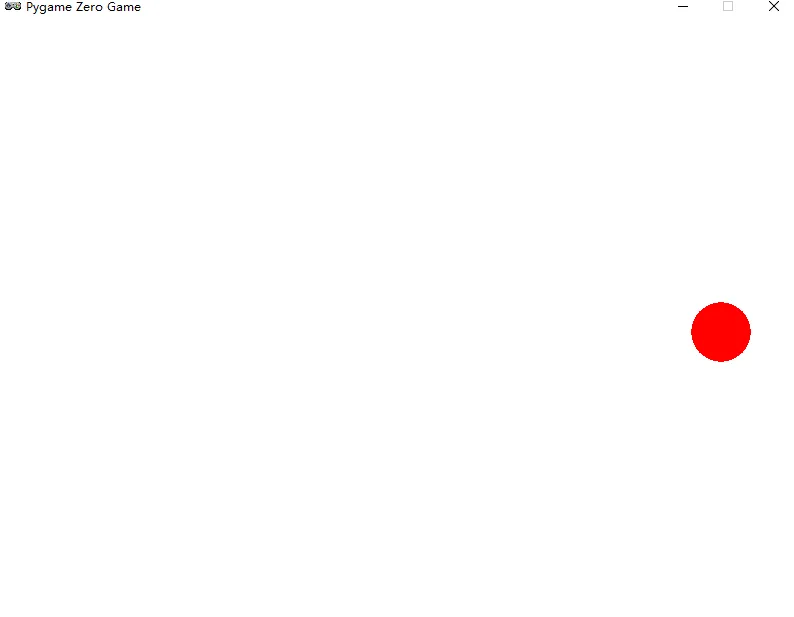
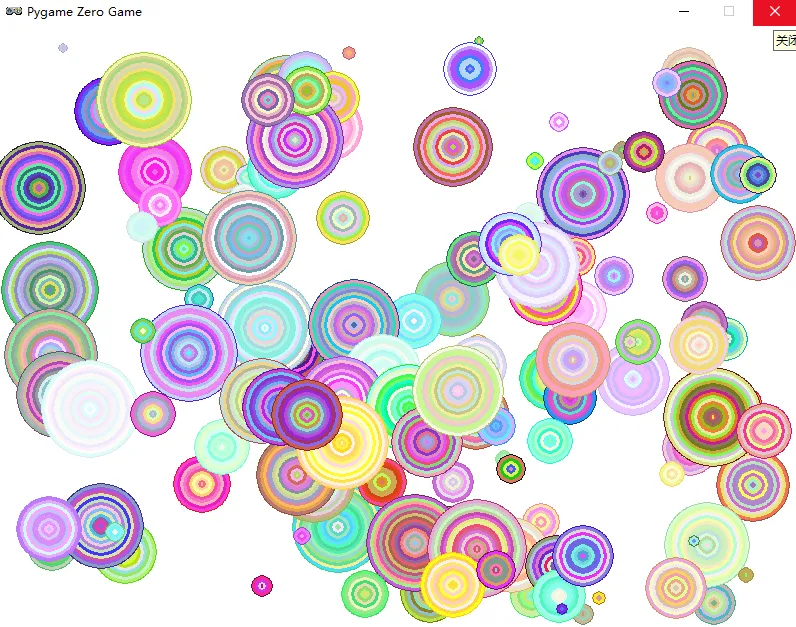
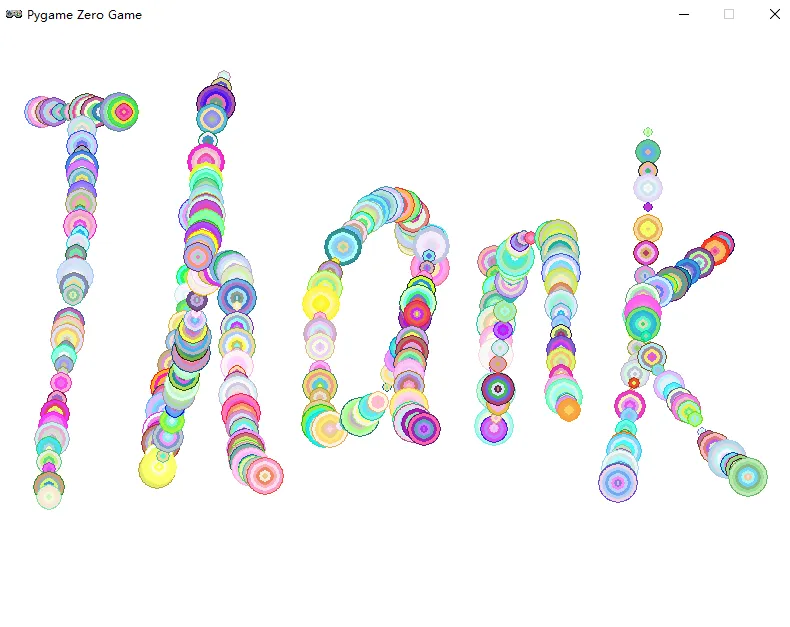
本节利用上节学习的【列表】实现多个颜色小球的反弹。先来回顾下一个小球的斜着跳的代码:import pgzrun # 导入游戏库WIDTH = 800 # 设置窗口的宽度HEIGHT = 600 # 设置窗口的高度x = WIDTH/2 # 小球的x坐标,初始化在窗口中间y = HEIGHT/2 # 小球的y坐标,初始化在窗口中间speed_x = 3 # 小球x方向的速度speed_y = 5 # 小球y方向的速度r = 30 # 小球的半径colorR = 255 # 小球的3个颜色colorG = 0colorB = 0# 存储小球所有信息的列表ball = [x, y, speed_x, speed_y, r, colorR, colorG, colorB]def draw(): # 绘制模块,每帧重复执行 screen.fill('white') # 白色背景 # 绘制一个填充圆,坐标为(x,y),半径为r,颜色随机 screen.draw.filled_circle((ball[0], ball[1]), ball[4],\ (ball[5], ball[6], ball[7]))def update(): # 更新模块,每帧重复操作 ball[0] = ball[0] + ball[2] # 利用x方向速度更新x坐标 ball[1] = ball[1] + ball[3] # 利用y方向速度更新y坐标 # 当小球碰到左右边界时,x方向速度反向 if ball[0] > WIDTH-ball[4] or ball[0] < ball[4]: ball[2] = -ball[2] # 当小球碰到上下边界时,y方向速度反向 if ball[1] > HEIGHT-ball[4] or ball[1] < ball[4]: ball[3] = -ball[3]pgzrun.go() # 开始执行游戏
1.利用随机函数生成100个小球(小球位置、速度、半径、颜色均随机生成),并创建balls列表来存储所有小球的信息。
import pgzrun # 导入游戏库import random # 导入随机库WIDTH = 800 # 设置窗口的宽度HEIGHT = 600 # 设置窗口的高度balls = [] # 存储所有小球的信息,初始为空列表for i in range(100): # 随机生成100个小球 x = random.randint(100, WIDTH-100) # 小球的x坐标 y = random.randint(100, HEIGHT-100) # 小球的y坐标 speedx = random.randint(1, 5) # 小球x方向的速度 speedy = random.randint(1, 5) # 小球y方向的速度 r = random.randint(5, 50) # 小球的半径 colorR = random.randint(10, 255) # 小球的3个颜色分量 colorG = random.randint(10, 255) colorB = random.randint(10, 255) # 存储小球所有信息的列表 ball = [x, y, speedx, speedy, r, colorR, colorG, colorB] balls.append(ball) # 把第i号小球的信息添加到balls中def draw(): # 绘制模块,每帧重复执行 screen.fill('white') # 白色背景 for ball in balls: # 绘制所有的圆 screen.draw.filled_circle((ball[0], ball[1]), ball[4],\ (ball[5], ball[6], ball[7]))def update(): # 更新模块,每帧重复操作 for ball in balls: ball[0] = ball[0] + ball[2] # 利用x方向速度更新x坐标 ball[1] = ball[1] + ball[3] # 利用y方向速度更新y坐标 # 当小球碰到左右边界时,x方向速度反向 if ball[0] > WIDTH-ball[4] or ball[0] < ball[4]: ball[2] = -ball[2] # 当小球碰到上下边界时,y方向速度反向 if ball[1] > HEIGHT-ball[4] or ball[1] < ball[4]: ball[3] = -ball[3]pgzrun.go() # 开始执行游戏
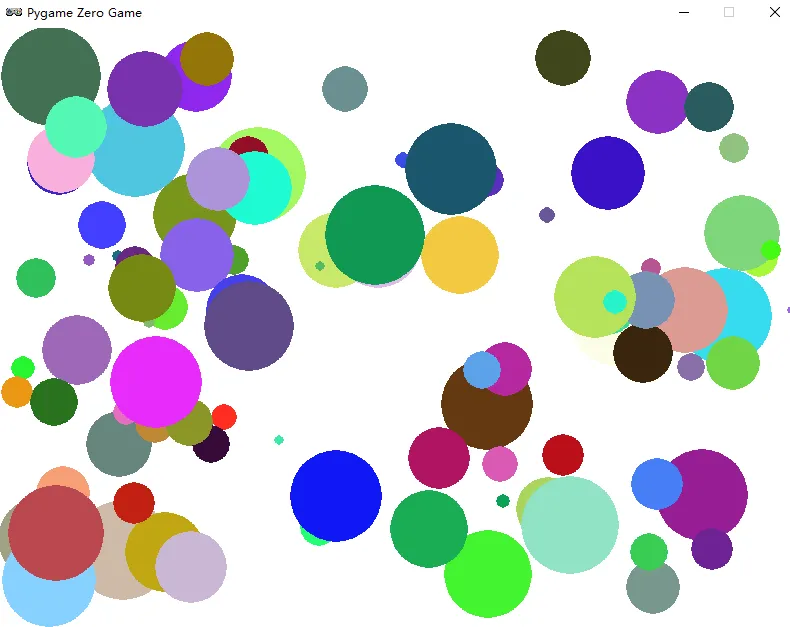
2.利用列表、鼠标点击增加小球数量。运行后,生成一个白色窗口,按住鼠标左键,然后滑动鼠标,会不断生成各种颜色的小球出来。
import pgzrun # 导入游戏库import random # 导入随机库WIDTH = 800 # 设置窗口的宽度HEIGHT = 600 # 设置窗口的高度balls = [] # 存储所有小球的信息,初始为空列表def draw(): # 绘制模块,每帧重复执行 screen.fill('white') # 白色背景 for ball in balls: # 绘制所有的圆 screen.draw.filled_circle((ball[0], ball[1]), ball[4], \ (ball[5], ball[6], ball[7]))def update(): # 更新模块,每帧重复操作 for ball in balls: ball[0] = ball[0] + ball[2] # 利用x方向速度更新x坐标 ball[1] = ball[1] + ball[3] # 利用y方向速度更新y坐标 # 当小球碰到左右边界时,x方向速度反向 if ball[0] > WIDTH-ball[4] or ball[0] < ball[4]: ball[2] = -ball[2] # 当小球碰到上下边界时,y方向速度反向 if ball[1] > HEIGHT-ball[4] or ball[1] < ball[4]: ball[3] = -ball[3]def on_mouse_move(pos, rel, buttons): # 当鼠标移动时 if mouse.LEFT in buttons: # 当按下鼠标左键时 x = pos[0] # 鼠标的x坐标,设为小球的x坐标 y = pos[1] # 鼠标的y坐标,设为小球的y坐标 speed_x = random.randint(1, 5) # 小球x方向的速度 speed_y = random.randint(1, 5) # 小球y方向的速度 r = random.randint(5, 50) # 小球的半径 colorR = random.randint(10, 255) # 小球的3个颜色分量 colorG = random.randint(10, 255) colorB = random.randint(10, 255) # 存储小球所有信息的列表 ball = [x, y, speed_x, speed_y, r, colorR, colorG, colorB] balls.append(ball) # 把该小球的信息添加到balls中pgzrun.go() # 开始执行游戏
3.生成五彩缤纷跳动的同心圆
import pgzrun # 导入游戏库import random # 导入随机库WIDTH = 800 # 设置窗口的宽度HEIGHT = 600 # 设置窗口的高度balls = [] # 存储所有小球的信息,初始为空列表def draw(): # 绘制模块,每帧重复执行 screen.fill('white') # 白色背景 for ball in balls: # 绘制所有的圆 screen.draw.filled_circle((ball[0], ball[1]), ball[4], \ (ball[5], ball[6], ball[7]))#列表ball,ball[0]=x、ball[1]=y、ball[2]=speed_x、ball[3]= speed_ y、ball[4]=r、ball[5]=colorR、ball[6]=colorG、ball[7]=colorB for x in range(1, ball[4], 3): # 用同心圆填充 screen.draw.filled_circle((ball[0], ball[1]), \ ball[4]-x, (random.randint(ball[5], 255),\ random.randint(ball[6], 255), \ random.randint(ball[7], 255)))def update(): # 更新模块,每帧重复操作 for ball in balls: ball[0] = ball[0] + ball[2] # 利用x方向速度更新x坐标 ball[1] = ball[1] + ball[3] # 利用y方向速度更新y坐标 # 当小球碰到左右边界时,x方向速度反向 if ball[0] > WIDTH-ball[4] or ball[0] < ball[4]: ball[2] = -ball[2] # 当小球碰到上下边界时,y方向速度反向 if ball[1] > HEIGHT-ball[4] or ball[1] < ball[4]: ball[3] = -ball[3]def on_mouse_move(pos, rel, buttons): # 当鼠标移动时 if mouse.LEFT in buttons: # 当按下鼠标左键时 x = pos[0] # 鼠标的x坐标,设为小球的x坐标 y = pos[1] # 鼠标的y坐标,设为小球的y坐标 speed_x = random.randint(1, 5) # 小球x方向的速度 speed_y = random.randint(1, 5) # 小球y方向的速度 r = random.randint(5, 50) # 小球的半径 colorR = random.randint(10, 255) # 小球的3个颜色分量 colorG = random.randint(10, 255) colorB = random.randint(10, 255) # 存储小球所有信息的列表 ball = [x, y, speed_x, speed_y, r, colorR, colorG, colorB] balls.append(ball) # 把该小球的信息添加到balls中pgzrun.go() # 开始执行游戏
运行后,按住鼠标左键,并滑动鼠标,生出一连串的同心圆。
练习:尝试修改上述代码,生成以下的效果(thank)
每个赞都是对我的鼓励,每个关注都是对我的认可,感谢有你!
若侵权,请联系删除!