Python实现在线书法生成器
- 2026-10-21 13:27:09
Python实现在线书法生成器
1. 项目总览:从
2. 舞台搭建:
7. 字体管家:
请关注本公众号,私信或者联系我要源码或者exe
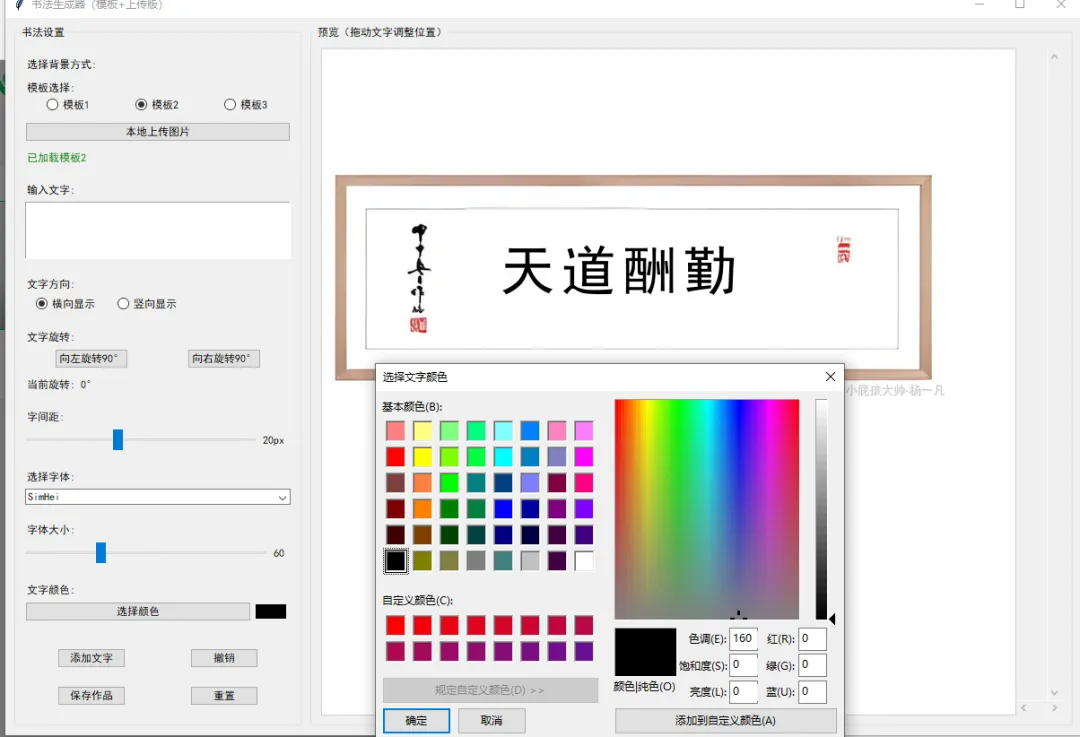
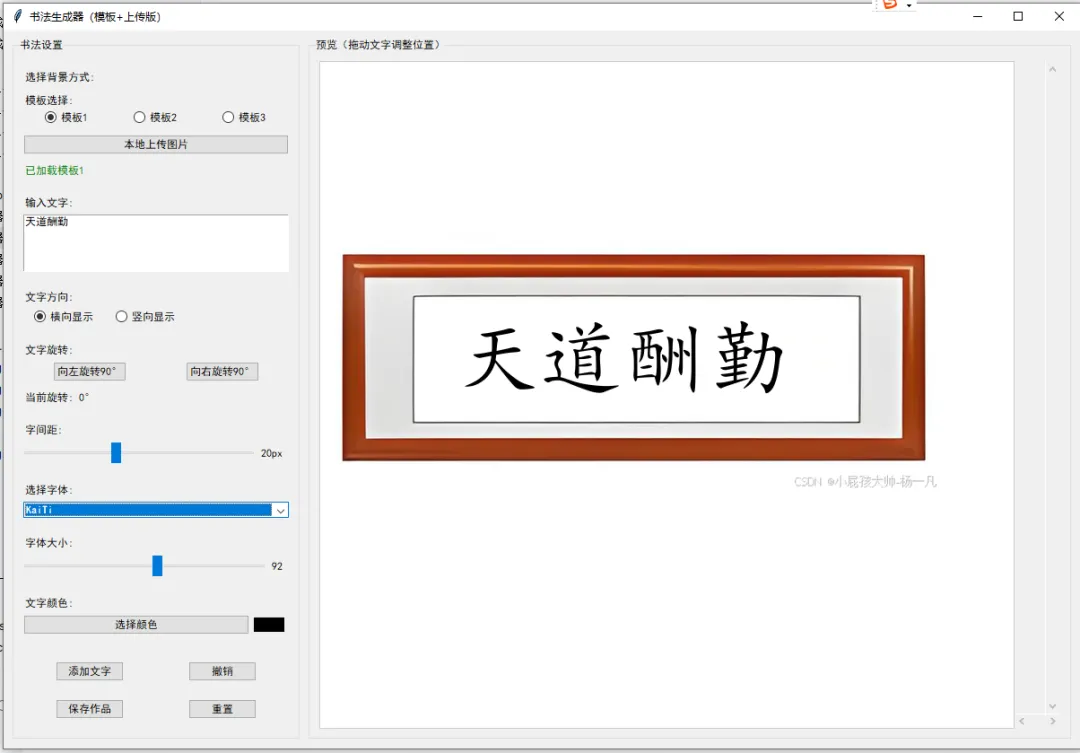
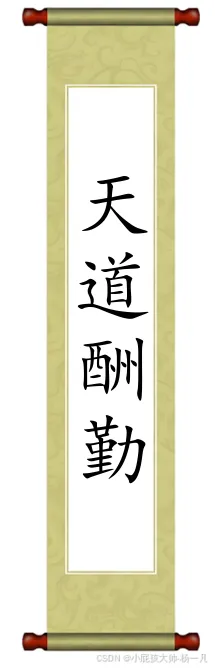
效果图
在线书法生成器:让你的字也能“C位出道”!
“别再用P图软件给老板写毛笔字了!3 秒钟,选好模板、敲好字、拖一拖,你的大作就能直接打印挂墙——隔壁老王都以为你偷偷练了十年颜柳欧赵!”
别眨眼,今天我们要拆的这段代码,就是一款用 Python 撸出来的在线书法生成器!它长了一张“程序员的脸”:Tkinter 的窗口、PIL 的滤镜、requests 的下载、BytesIO 的缓存……但干的全是艺术家的活:
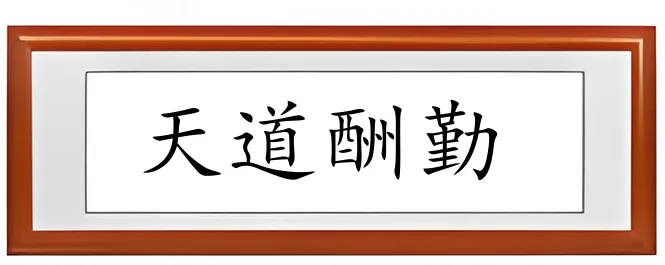
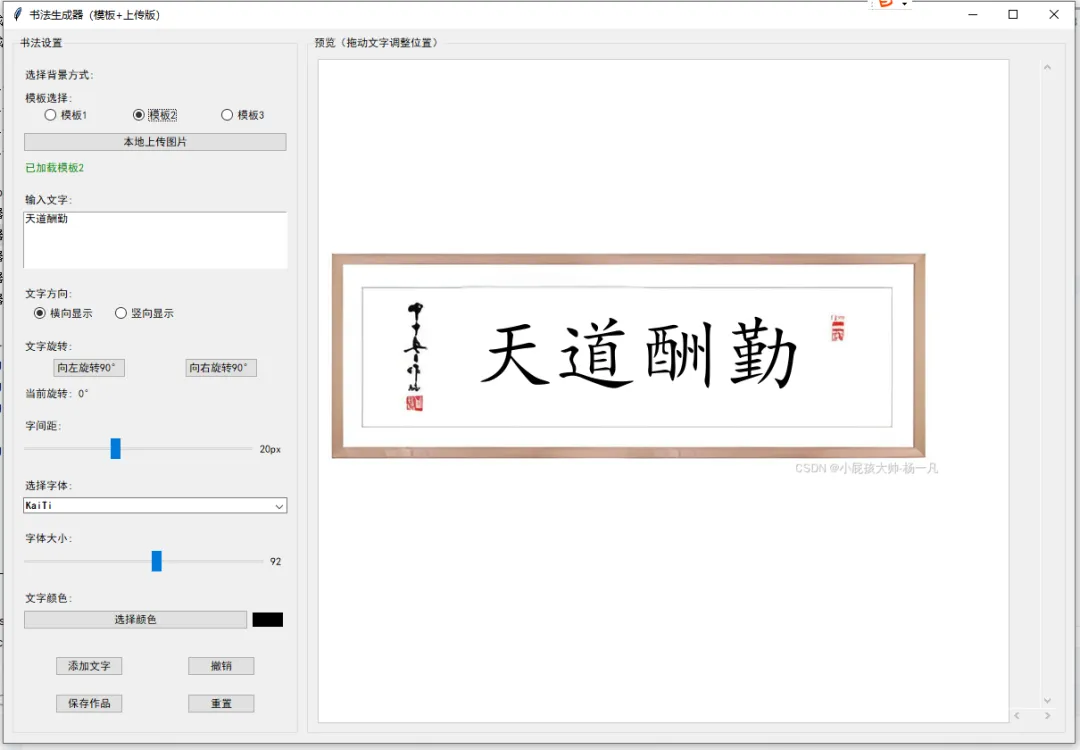
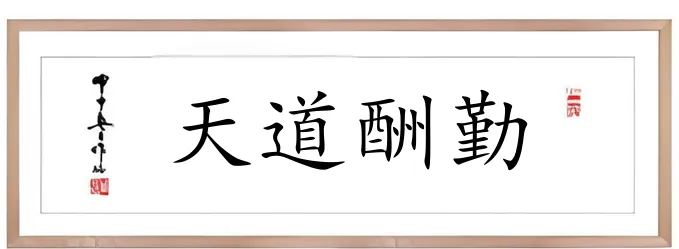
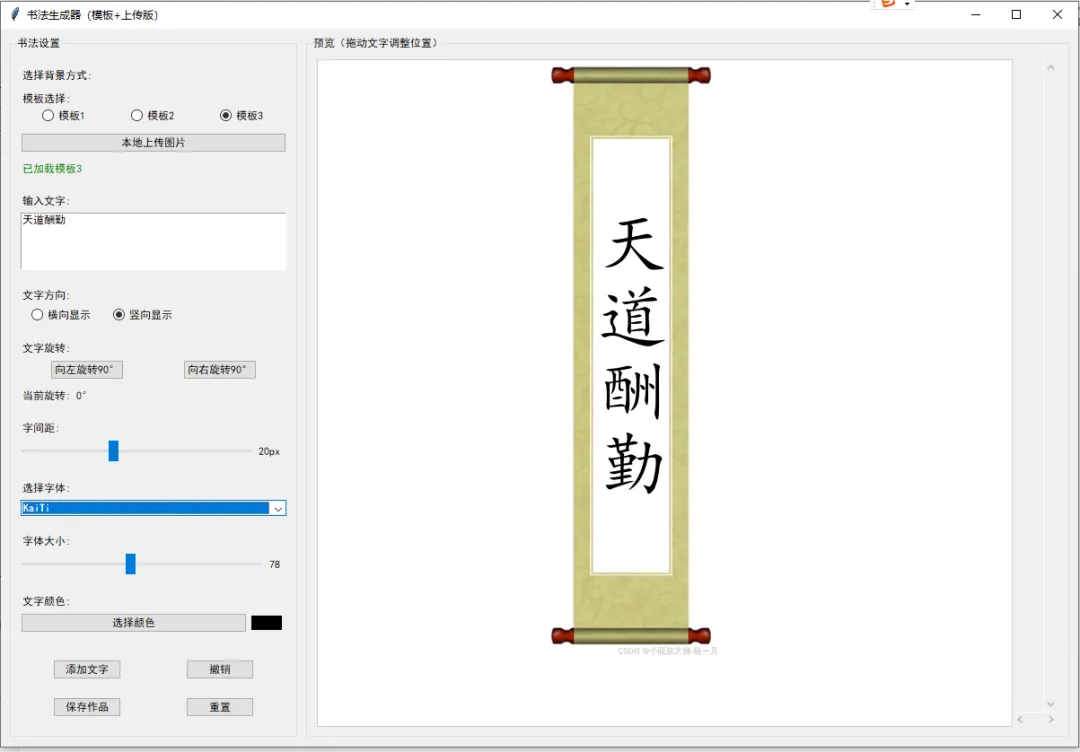
3 张古风宣纸模板——从 CSDN 光速下载,离线也能用; 横竖排版+任意旋转——横着写“天道酬勤”,竖着写“躺平有理”; 字体、字号、字间距、颜色——想多浮夸就多浮夸; 鼠标拖拽实时预览——指哪打哪,妈妈再也不担心我手抖; 一键保存高清 PNG——直接发群,坐等点赞。
下面,咱们把代码按“六大门派”切成六段,逐行解剖,层层递进。系好安全带,发车!
1. 项目总览:从 import 到 __main__ 的“一条龙”
import tkinter as tkfrom tkinter import ttk, colorchooser, messagebox, filedialogfrom tkinter import fontfrom PIL import Image, ImageTk, ImageDraw, ImageFont, ImageGrabimport os, tempfile, traceback, datetime, requestsfrom io import BytesIOtkinterttk 让按钮更性感,colorchooser 调出调色板,messagebox 负责卖萌报错 | ||
tkinter.font | ||
ImageImageTk 转给 Tkinter,ImageDraw 写字,ImageFont 调字体,ImageGrab 截图 | ||
ostempfile 缓存下载的模板,requests 拉取图片,BytesIO 把网络流变成文件句柄 |
整个程序只有一个主角类——CalligraphyGenerator。它像一位导演:
在 __init__里搭舞台、选演员(变量初始化);在 create_widgets里摆机位(左侧控制面板 + 右侧画布);剩下的方法全是“武术指导”——告诉文字该如何在宣纸上旋转跳跃闭着眼。
2. 舞台搭建:__init__ 的三层“套娃”
classCalligraphyGenerator:def__init__(self, root):# ① 主窗口属性 self.root = root self.root.title("书法生成器(3模板版)") self.root.geometry("1200x800") self.root.minsize(1000, 700)# ② 核心配置 self.default_font = "SimHei" self.font_family = self.default_font self.font_cache = {} # 字体绝对路径缓存# ③ 业务变量 self.current_text = "天道酬勤" self.font_size = 60 self.text_color = "#000000" self.text_position = (100, 100) ...root | title/geometry/minsize | ||
font_cache | |||
current_text/font_size/... |
接下来导演喊了声“Action!”——create_widgets() 开始布景。
3. 布景:左侧“操控台” VS 右侧“摄影棚”
defcreate_widgets(self):# 3.1 主框架:左右分栏 main_frame = ttk.Frame(self.root, padding="10") main_frame.pack(fill=tk.BOTH, expand=True)# 3.2 左侧控制面板 control_frame = ttk.LabelFrame(main_frame, text="书法设置", padding="10") control_frame.pack(side=tk.LEFT, fill=tk.Y, padx=(0, 10)) control_frame.configure(width=320) control_frame.pack_propagate(False) # 宽度写死 320px# 3.3 右侧预览区域 preview_frame = ttk.LabelFrame(main_frame, text="预览(拖动文字调整位置)", padding="10") preview_frame.pack(side=tk.RIGHT, fill=tk.BOTH, expand=True)ttk.Framepack(fill=BOTH, expand=True) | ||
pack_propagate(False) | ||
LabelFrameCanvas + 双向滚动条 |
3.4 模板选择:三选一,单选逻辑
self.template_var = tk.StringVar()self.template_var.trace("w", self.on_template_selected) # 监听切换...ttk.Radiobutton(... text="模板1", value="0").pack(side=tk.LEFT, expand=True)trace("w", callback):一旦用户点选,on_template_selected立即触发下载。用索引 0/1/2对应templates列表,省得写一堆 if/else。
4. 下载与缓存:模板光速“瞬移”到本地
defdownload_template(self, template_index):# 4.1 如果本地已缓存,直接复用if self.templates[template_index]['local_path'] and \ os.path.exists(self.templates[template_index]['local_path']): self.temp_image_path = self.templates[template_index]['local_path'] self.update_canvas_background()returnTrue# 4.2 否则从 CSDN 拉取 response = requests.get(self.templates[template_index]['url'], timeout=10)if response.status_code == 200: temp_file = tempfile.NamedTemporaryFile(suffix=".png", delete=False) temp_path = temp_file.name temp_file.close() Image.open(BytesIO(response.content)).save(temp_path) self.templates[template_index]['local_path'] = temp_path ...os.path.exists | ||
tempfile.NamedTemporaryFile(delete=False) | ||
5. 文字渲染:把字符串“拆”成一张张字符 PNG
defupdate_preview(self): self.canvas.delete("text_group") ... font_path = self.get_font_path(self.font_family) pil_font = ImageFont.truetype(font_path, self.font_size)# 5.1 逐字符渲染for i, char in enumerate(self.current_text): temp_size = int(self.font_size * 2) temp_img = Image.new('RGBA', (temp_size, temp_size), (0,0,0,0)) draw = ImageDraw.Draw(temp_img) draw.text((0, temp_size//2), char, font=pil_font, fill=self.text_color, anchor="lm")# 5.2 旋转 rotated_img = temp_img.rotate(self.rotation_angle, expand=True) tk_img = ImageTk.PhotoImage(rotated_img) self.character_images.append(tk_img)# 5.3 计算坐标if self.text_orientation == "horizontal": x = self.text_position[0] + i*(char_base_dim+self.character_spacing) y = self.text_position[1]else: x = self.text_position[0] y = self.text_position[1] + i*(char_base_dim+self.character_spacing) self.canvas.create_image(x, y, image=tk_img, tags="text_group", anchor=tk.NW)rotate(angle, expand=True) | expand=True | |
character_spacing 控制松紧 |
6. 交互三板斧:拖拽、撤销、保存
6.1 拖拽:用“状态机”记录鼠标轨迹
defon_drag_start(self, event):if"text_group"in self.canvas.gettags(self.canvas.find_withtag("current")): self.dragging = True self.drag_data = {"x": event.x, "y": event.y, "item": "text_group"}defon_drag_motion(self, event):if self.dragging: dx = event.x - self.drag_data["x"] dy = event.y - self.drag_data["y"] self.canvas.move("text_group", dx, dy) self.drag_data["x"], self.drag_data["y"] = event.x, event.y用 find_withtag("current")精准判断鼠标是否在文字上;canvas.move(tag, dx, dy)让整组字符瞬间位移。
6.2 撤销:时光回溯机
defsave_history(self): state = {所有业务变量...} self.operation_history.append(state) self.history_index = len(self.operation_history) - 1defundo(self):if self.history_index > 0: self.history_index -= 1 state = self.operation_history[self.history_index]# 恢复所有变量并刷新界面每一次“有效操作”都 save_history(),内存换用户体验;列表式堆栈,撤销复杂度 O(1)。
6.3 保存:截图黑科技
defsave_work(self): x = self.root.winfo_rootx() + self.preview_frame.winfo_x() y = self.root.winfo_rooty() + self.preview_frame.winfo_y() w = self.preview_frame.winfo_width() h = self.preview_frame.winfo_height() ImageGrab.grab(bbox=(x+10, y+30, x+w-20, y+h-40)).save(filename, 'png')winfo_rootx/y获取屏幕绝对坐标;微调 +10 +30去掉边框;ImageGrab直接截图,所见即所得。
7. 字体管家:get_font_path 的“海底捞针”
defget_font_path(self, font_name):if font_name in self.font_cache:return self.font_cache[font_name] font_dirs = ['C:\\Windows\\Fonts','C:\\Program Files\\Windows NT\\Fonts','/usr/share/fonts', ... ]for file in self.font_paths[font_name]:for font_dir in font_dirs: path = os.path.join(font_dir, file)if os.path.exists(path): self.font_cache[font_name] = pathreturn pathreturnNone跨平台路径列表,Windows / Linux / macOS 一把梭; 命中即缓存,避免每次都磁盘 IO。
8. 总结:知识点与目标全景图
最终目标
让用户在零安装情况下,30 秒内生成一张“看起来练了十年”的书法作品; 让开发者通过 300 行不到的“小而美”代码,学会Python GUI 全流程开发:布局 → 事件 → 渲染 → 保存 → 异常兜底。
把代码丢进 PyInstaller,再打包一个 exe,你就是春节写对联最靓的仔!
点击【关注+收藏】获取最新的实战代码案例
用Python打造汉字笔画查询工具:从GUI界面到笔顺动画实现
Python超实用 Markdown 转富文本神器 —— 代码全解析
【实战1】
【实战2】
【实战3】
【实战4】
本文来自网友投稿或网络内容,如有侵犯您的权益请联系我们删除,联系邮箱:596563534@qq.com 。
